Capture without switching tabs
Open Dockbox on any page and jot down ideas, quotes, or research—your note editor stays in the Chrome sidebar while you keep browsing.
Chrome sidebar note editor
Dockbox gives you a proper note editor right in Chrome. Capture ideas while you browse, keep them in folders, refine text with a built-in AI writing assistant, and move notes in or out as Markdown.
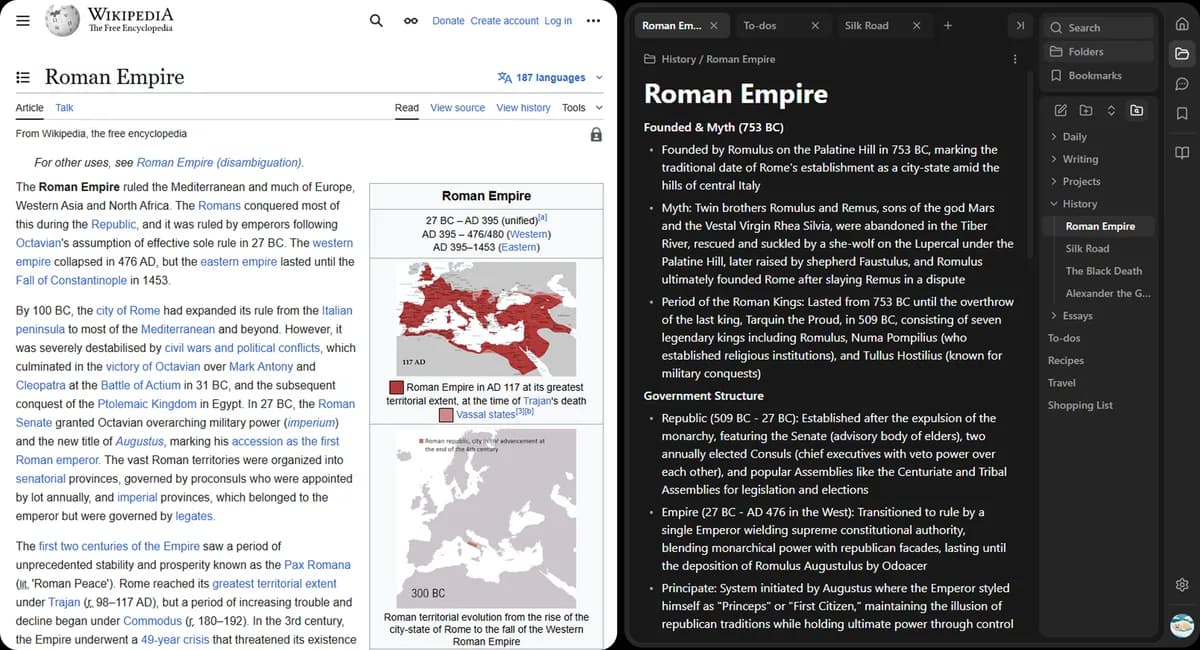
Most note apps pull you out of your flow. Dockbox keeps reading, writing, and organizing in the same place—the sidebar on whatever page you're on.
Open Dockbox on any page and jot down ideas, quotes, or research—your note editor stays in the Chrome sidebar while you keep browsing.
Group notes into folders so projects, topics, and reading lists stay separate. Everything lives in one sidebar, not scattered across apps.
Format notes with headings, lists, and structure. Dockbox is built for writing you’ll come back to, not one-off snippets.
Built-in AI writing assistant
Select text in your note, ask AI to refine it, and accept changes with a diff preview. Writing stays in your workflow, not another tab.
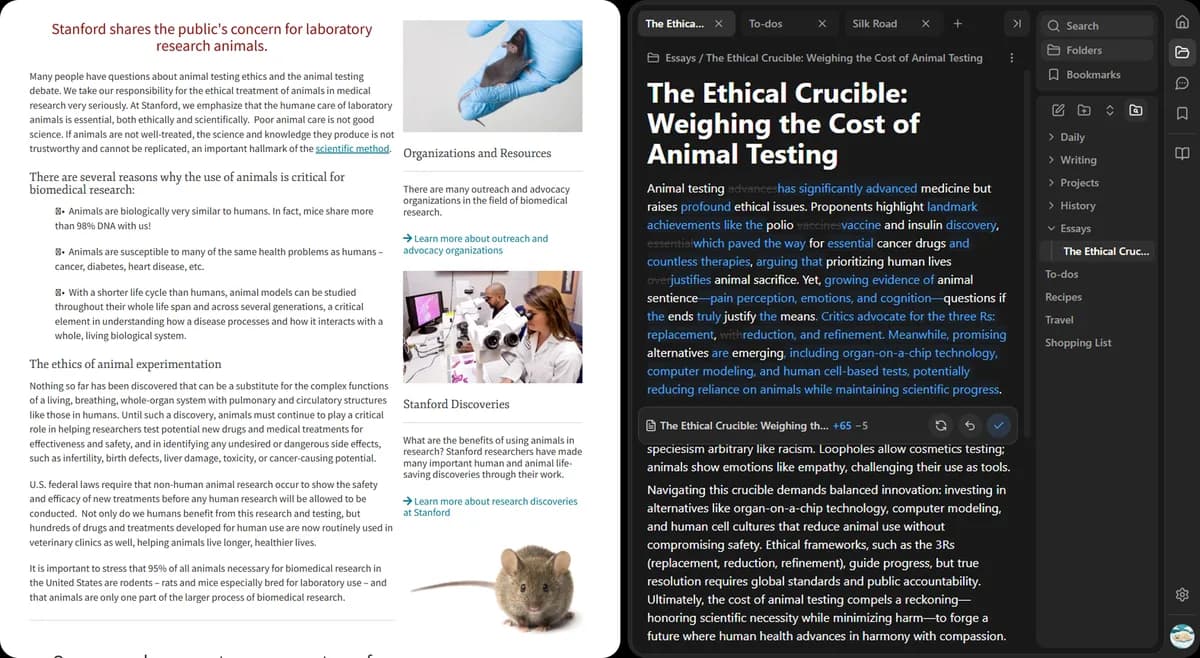
Highlight a paragraph, section, or entire note in Dockbox's sidebar editor—right where you're already working.
Pick a built-in action like improve, shorten, or translate—or type your own instruction or custom prompt.
See a diff of AI edits before they land in your note. Keep what works, discard what doesn't.
Generic chat tools make you shuttle text back and forth. Dockbox keeps AI inside your note editor, where structure and formatting matter.
Dockbox isn't a walled garden. Move notes in and out as .md files when you need them elsewhere.
Download any note as a .md file when you need it in Obsidian, VS Code, GitHub, or anywhere else Markdown lives.
Bring existing .md notes into Dockbox so your library isn't locked to one tool—you can start from files you already have.
Write in Dockbox day to day, then export when a project needs to leave the browser. No copy-pasting into a separate converter.
Notes, AI chat, and YouTube summaries — all in one Chrome sidebar.
Install Dockbox and capture your next idea, refine it with AI, and export it as Markdown—all without leaving the page you're on.